This is my first update to the Digital Lode site in a while! I’ve spent the last couple of months on a few projects back-to-back with very little spare time. The spare time i’ve had has been spent with my family and girlfriend.
I worked on a 3D animated project for Siemens/Fed Square, Melbourne, I helped create animated content for a large 9+ metre wide screen at a Melbourne Zoo Exhibit and helped create 3D animated graphics for the upcoming opening of a new Toyota Manufacturing plant & new 4 Cylinder engine reveal. One of the bigger projects has been the creation of 3D Art for a BASF print Ad Campagin.
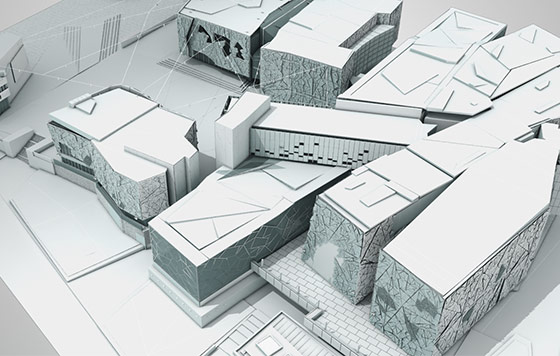
Still Frame from 3D animated content for Siemens & Fed Square
I’ve then taken a holiday for the last week where I took part in a developmental course with Boy’s Brigade Australia. 3 Days of the week were spent mountain biking & camping in French Island with my oldest mate, James Eynaud, very fun and a very rewarding physical challenge in the intense heat of last week!
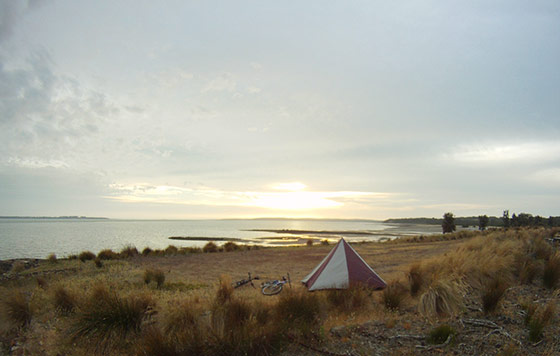
My campsite along the beach in French Island
I’ve also invested many hours over the past few months into expanding my craft, particularly lighting, rendering and digital sculpting. I’ve recently added Zbrush to my toolset & am having too much fun creating odd sculpts for 20 minutes each day as I come up to speed with the unique interface and tools. Will be uploading a few work in progress character sculpts soon.
I’ve also finally started preparing and recording some video tutorials for the Digital Lode again – i’ve released my first video tutorial since my After Effects Motion Blur tutorial from early 2010. My most recent tutorial covers the new Vray Embree Helper for 3DS Max. Looking forward to add some more.
Things have finally started to slow down to normal and so i’m now putting some time into updating the Digital Lode site. I’m hoping to share some excerpts from the projects i’ve worked on these last few weeks, a couple of quick video tutorials and my first showreel since 2009 – which is finally almost finished!

