Tag

3DS max

Buchanan Alive Album Cover 3D Design

Making-of Video Buchanan’s “Alive” album cover

By My Portfolio, TutorialsNo Comments

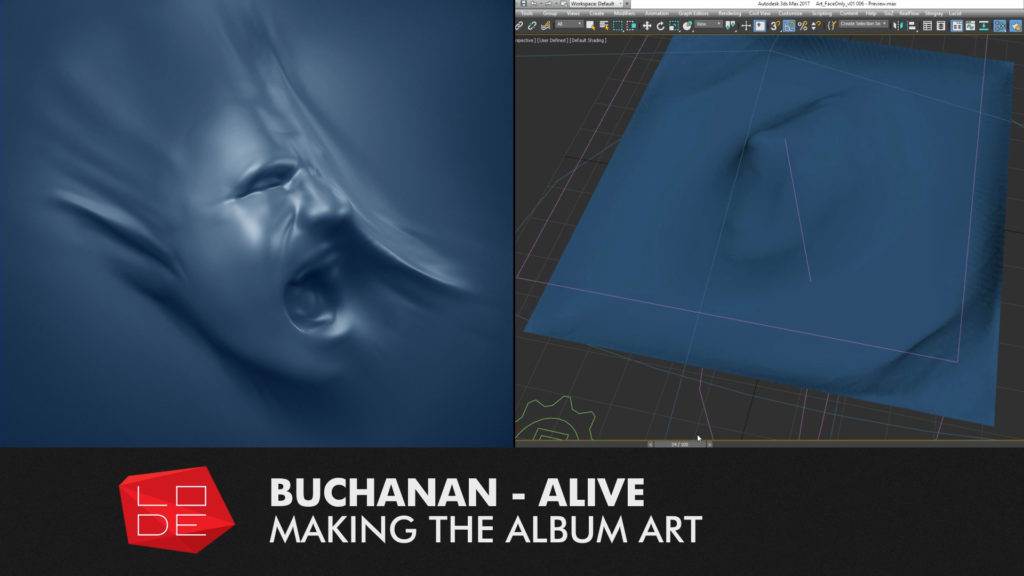
I’ve put together a short “making-of” video for Buchanan’s “Alive” album cover. Alive was released in the last week of October 2016 and I created the album cover which features lead singer Josh Simon’s head twisting under the pressure of a vacuum sheet! Josh wanted it to be cast blue – looking almost like an invert of the Pressure in an Empty Space album.

The video details the different steps that went into the process of creating the artwork.

Alive is available now on iTunes, Apple music and Spotify. You can learn more about the album here on the band’s official facebook page. This live album is linked to the recent “Pressure in an Empty Space” Studio album released by the band. I have more information on “PIAES” here on my LODE portfolio.


Alive Album Art – Process breakdown.

Here is an overview of my process when creating the album cover. More information is available in the video linked above.


Pre-Production

I went through a big phase of planning, brainstorming and pre-production with Josh Simons before we settled on the visual approach to “Pressure in an Empty Space” and how it would carry over to “Alive”.

Photogrammetry shoot

[image title=”Buchanan Alive Album Cover – Photogrammetry Shoot” width=”544″ height=”306″ align=”center” lightbox=”true” group=”BUCH” icon=”zoom”] http://thelode.com.au/wp-content/uploads/2016/11/02_Photogrammetry.jpg [/image]

Production began with a Photogrammetry session with Josh. This is where multiple photos are taken of a subject and the computer is able to reconstruct a digital model of the scene.

Face reconstruction

[image title=”Buchanan Alive Album Cover – Mesh Reconstruction” width=”544″ height=”306″ align=”center” lightbox=”true” group=”BUCH” icon=”zoom”] http://thelode.com.au/wp-content/uploads/2016/11/03_FaceReconstruction.jpg [/image]

This was my first photogrammetry attempt, and so the results were not perfect. I learnt what not to do next time! The resulting model was quite distorted due to many factors including:

[list style=”list_1″] [li]Not enough photographs of the subject [/li] [li]Some photographs were blurry or out of focus
[/li] [li]Only 1 camera was used, so it was inevitable that the subject would move over the course of the shoot. I should have got Josh to lean the back of his head up against the plaster wall to keep it steady and remove clutter from the background[/li] [/list]

Sculpting

[image title=”Buchanan Alive Album Cover – Sculpting in Zbrush” width=”544″ height=”306″ align=”center” lightbox=”true” group=”BUCH” icon=”zoom”] http://thelode.com.au/wp-content/uploads/2016/11/04_Sculpting.jpg [/image]

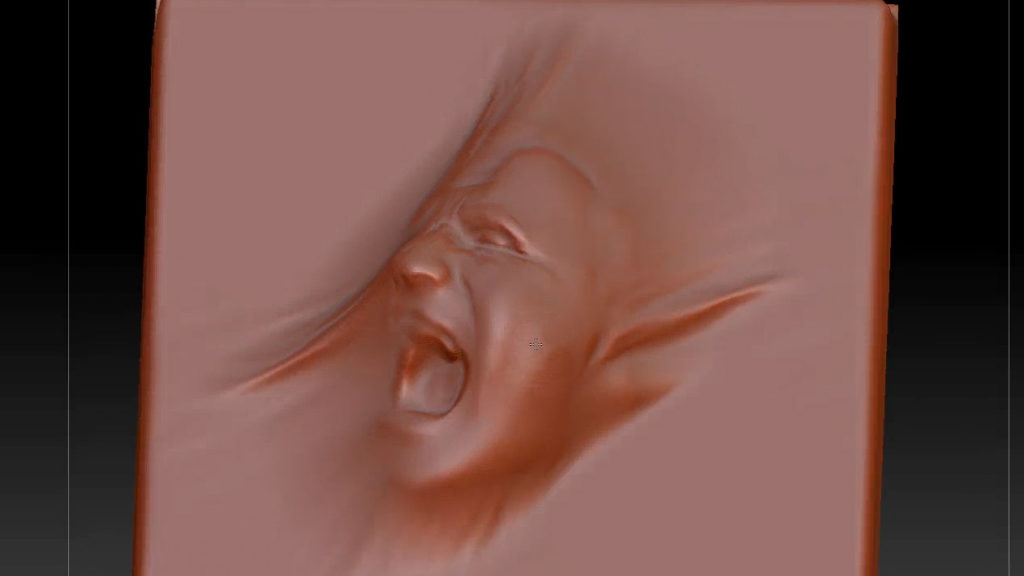
The digital version of Josh’s face was missing a lot of detail, but it was still great reference for the overall form and proportions, and so I built upon an auto-retopologised version of this model and used my original photos as reference while I sculpted a digital bust myself.

Scene setup

[image title=”Buchanan Alive Album Cover – Preparing mesh for simulation” width=”544″ height=”306″ align=”center” lightbox=”true” group=”BUCH” icon=”zoom”] http://thelode.com.au/wp-content/uploads/2016/11/05_SceneSetup.jpg [/image]

Once the face was ready I did some render tests and then prepared a capped version of the head optimised for dynamic simulation. I only needed the head – not the shoulders, etc. I wanted the topology of the model to be clean so as not to cause issues during dynamic simulations. I wanted to make the head look like it was being compressed under the pressure of a vacuum seal! I used the Lucid plugin for 3ds Max to achieve this. Lucid is a very versatile simulation system created by Ephere.

Simulation of cloth on Face

[image title=”Buchanan Alive Album Cover – Lucid Plugin for 3DS Max” width=”544″ height=”306″ align=”center” lightbox=”true” group=”BUCH” icon=”zoom”] http://thelode.com.au/wp-content/uploads/2016/11/06_Simulation.jpg [/image]

I then did some tests in how to set up my scene for Simulating. I sat the digital face on a flat surface & created a digital sheet that would be draped on top. I placed a large “Spherical Gravity” spacewarp below the face. It acted like a black hole – a vacuum that would suck all air in the area into its centre.

This, plus some gravity, wind and turbulence caused the sheet to try and push “through” the face as best it could – however the face would not let it. I found this was a quick way to get predictable results, and the Lucid plugin performed superbly.

Detail Sculpting

[image title=”Buchanan Alive Album Cover – Sculpting HiRes Mesh in Zbrush” width=”544″ height=”306″ align=”center” lightbox=”true” group=”BUCH” icon=”zoom”] http://thelode.com.au/wp-content/uploads/2016/11/07_Sculpting.jpg [/image]

After getting a satisfactory result (it took about 5 different simulation attempts to find the right settings), I exported one “Frame” of the cloth simulation to Zbrush. I also sent the underlying head/ground geometry to use in projection painting if needed. I then spent my time sculpting in extra details specifically where I wanted them, stretching and warping the cloth further, and getting the final desired look.

Exporting final high-res mesh

[image title=”Buchanan Alive Album Cover – Scene setup in 3ds Max and Vray” width=”544″ height=”306″ align=”center” lightbox=”true” group=”BUCH” icon=”zoom”] http://thelode.com.au/wp-content/uploads/2016/11/08_ExportingHiRes.jpg [/image]

The original Cloth had been planar UV-Mapped from the top, so it had correct UV co-ordinates – stretching where they naturally should. In the end I didn’t rely on UV co-ordinates in my shaders and the setup was very simple. I exported the Hi-Res mesh from Zbrush to 3ds Max using Decimation Master and Mesh Lab.

I setup my scene for rendering, first the “blue” Shader, then tweaked cameras and lights until I settled on a look that worked. I then spent time with Josh Simons to tweak all settings before the final render.

Final output

[image title=”Buchanan Alive Album Cover – Final Output” width=”544″ height=”306″ align=”center” lightbox=”true” group=”BUCH” icon=”zoom”] http://thelode.com.au/wp-content/uploads/2016/11/09-final-output.jpg [/image]

The scene was rendered in Vray 3.4 in 1 pass, with all required elements – DiffuseFilter, Reflection, Specular, GI, etc. All elements were then re-assembled in Photoshop to do the final Composite and grade. The Zdepth Mask was used to affect only the areas of the face that “Stick Out” of the main cloth. A final colour grade was applied and the image was flipped horizontally before being exported for print and digital use. The artwork was rendered at a resolution of around 5, 400 x 5,400 pixels to retain resolution when printing or scaling.

Conclusion

Every project I’ve worked on with Buchanan has been varied, challenging and extremely exciting, making use of many techniques and technologies, this cover was no exception. In the future I’ll create a video similar to this for the Pressure in an Empty Space cover. I hope this breakdown video and accompanying text post has been interesting and helpful.
 

Reel Pictures VR Melbourne - VR CAD Model Viewer

Reel Pictures VR Diary Ep04 – VR CAD Model Viewer

By Personal Projects, Virtual RealityNo Comments

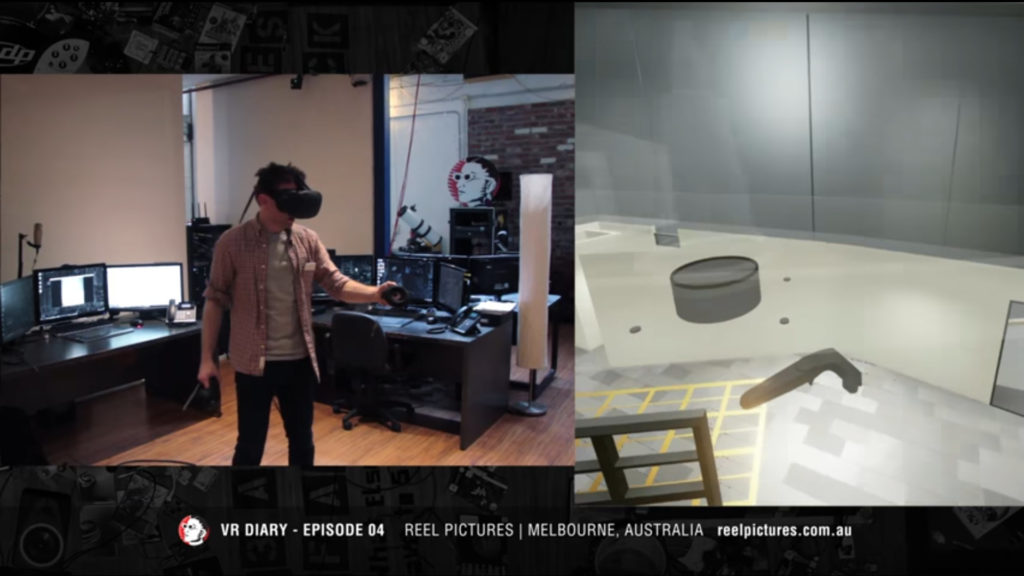
Our 4th VR Diary video is an overview of our “VR CAD Model Viewer”. This app allows you to view and interact with CAD data in Virtual Reality. The models sit on a virtual tabletop at user-specified scale. You can view these scale models from any angle and isolate specific areas. The user can explore key areas of the model in a 1:1 real-world scale.

We think it will be incredible useful for Architects, Industrial Designers and anyone who would want to use Virtual Reality for their Rapid Prototyping!

In this video, this VR app is in its early stages. In our future videos we will show some of the progress we’ve been making as well as some other examples where it could be useful in rapid prototyping for products and in industrial design applications.

The model featured in this video was Designed By Melbourne-based Architect Paul Evans. It is part of a submission to the Royal Society of Victoria by Paul Evans, Nigel Westbrook and Michael Wentworth-Bell.

At the moment, the process of preparing the model for VR is not automated – we are preparing the model in 3ds Max before sending it to Unreal.

We are in the process of automating as many of the processes as possible:

  • Generating Lightmap UVs
  • Creating adequate Collisions based on Floors, walls and ceiling
  • Assigning Unreal Shaders based on object name, layer name or existing material name
  • Placing key teleport points based on locations placed in Revit
  • Placement of Sun based on Geo Location set in Revit
  • Tagging of Doors, Glass and individual floors to allow users to isolate / toggle visibility

Depending on the complexity of the scene, Optimization of the resulting meshes is required. With some prep, The few test scenes we have worked with so far have maintained a stable 90fps in the headset on standard hardware.

There are a few solutions available for viewing CAD data in VR that are completely automated. Ours is not completely automated yet, but we are translating our experience in Arch-Vis into realtime VR, and can create projects that are a lot more specialised in their use – adding specific functionality per project.

This is a very popular and exciting use-case for VR tech and one I can see many CG studios being a part of!

Buchanan Alive 3D Arist album cover

Recent Project – Alive Album Art

By Current Projects, My PortfolioNo Comments

I just finished the cover art for Buchanan’s upcoming ‘Alive’ album, a collaboration with lead singer Josh Simons. It’s his face that’s sculpted behind the sheet. Really fun project to work on once again!

In the next few weeks I plan to make a ‘making of’ video that details the process behind this album, which involved a few fun steps! I used some photogrammetry techniques to build a rough ‘sketch’ of the head, then sculpted a corrected version in Zbrush. I simulated the “Vacuum seal sheet” that seems to pushing in all around the face using the Ephere Lucid plugin for 3ds Max. I then added specific details to the simulated result – again in Zbrush. Finally it was rendered in 3ds Max using Vray and composited in Photoshop.

I have also created an entry in my Portfolio for this project. I will be adding more details about the project over the next few weeks!

[image title=”Alive Album Cover – Zbrush Sculpt” width=”544″ height=”306″ align=”center” lightbox=”true” icon=”zoom”] http://thelode.com.au/wp-content/uploads/2016/11/16-10-07-Alive-Album-Art.jpg [/image]
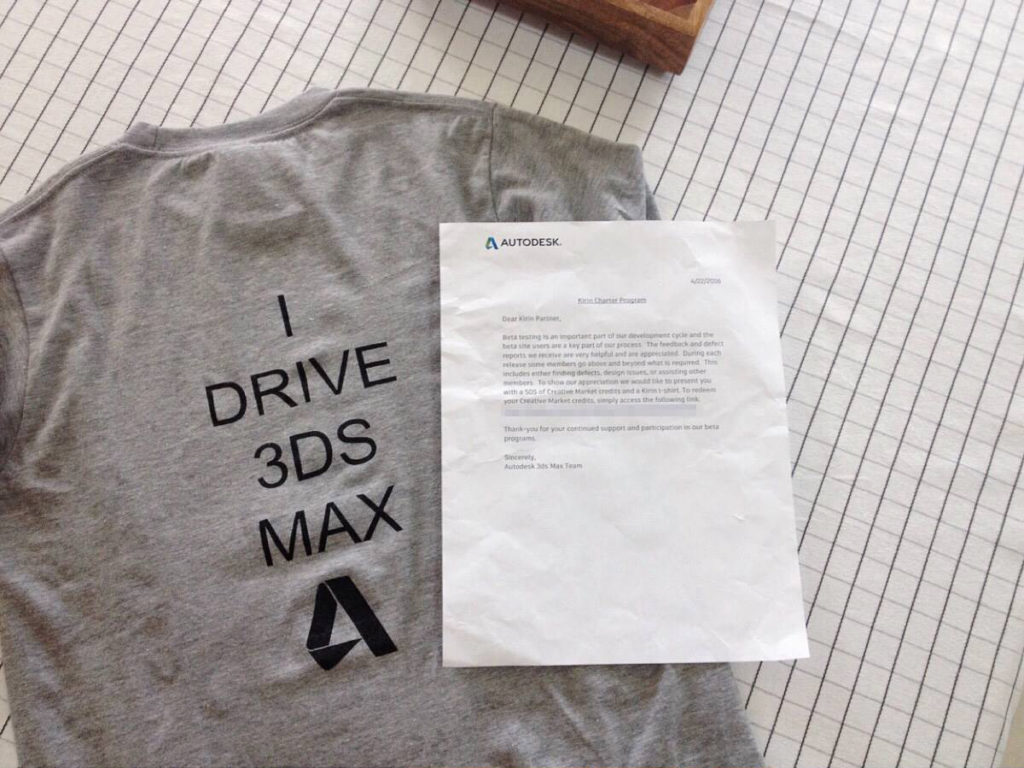
3ds Max beta Tshirt

I help “drive” 3ds Max

By Site NewsNo Comments

A cool tshirt from the 3ds Max development team : )

I love my job, making 3d “Stuff” all the time. I use 3ds Max for more hours every day than I care to admit.

I have been part of the 3ds max beta programme for 4 years. Last year I was very lucky to be a part of the 3ds Max “Charter” group and to get in touch with the developers and some of the best 3ds Max users around the globe. It has been great!

[image title=”3ds Max beta Tshirt” width=”544″ height=”816″ align=”center” lightbox=”true” icon=”zoom”] http://thelode.com.au/wp-content/uploads/2016/10/2016-05-17_Micael_Wentworth-Bell_3ds_Max-1.jpg [/image]


Boost - Red Royale 3D Animation

3D animations for Boost Juice

By Current ProjectsNo Comments

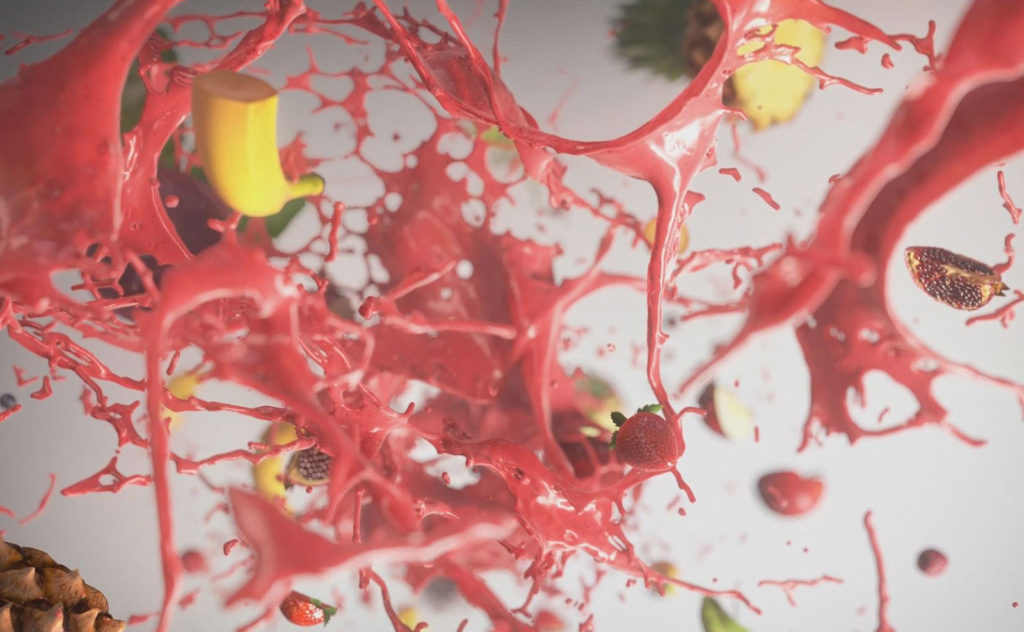
I had a heap of fun over the past couple of weeks working on these 2 animations with Alf Kuhlmann for Boost Juice!

I’ve added more information about these videos to the Portfolio section of my website. There is a dedicated page for the Red Royale video and a page for the Pure Eden Video.

[image title=”Click this image to read more about the Red Royale Video” width=”544″ height=”306″ align=”center” lightbox=”false” group=”GIS” icon=”link” link=”http://thelode.com.au/portfolio/boost-juice-red-royale-promo-video/” link_target=”_self”] http://thelode.com.au/wp-content/uploads/2016/02/Boost_RedRoyale_02.jpg [/image] [image title=”Click this image to read more about the Pure Eden Video” width=”544″ height=”306″ align=”center” lightbox=”false” group=”GIS” icon=”link” link=”http://thelode.com.au/portfolio/boost-juice-pure-eden-promo-video/” link_target=”_self”] http://thelode.com.au/wp-content/uploads/2016/02/Boost_PureEden_03.jpg [/image]
The Riparian Project 3D animation

The Riparian Project DIY Kit 3D Animation

By Site NewsNo Comments

I’m very excited to be able to share one of my favourite LODE projects from early 2015. This 3D animation was created to detail The Riparian Project’s goal of shifting grazing practices to improve river health.

Envisioned as a looping continuous video without edits, it shows the negative effect livestock cause to rivers and the knock-on effect this has on the entire ecology downstream and in the surrounding environment. By erecting fences along the river to keep livestock out, the river can repair itself and the land around it. Solar powered water troughs allow the livestock to still drink from the river from a safe distance.

This was created for Jen Rae’s PhD exhibition: Art & The Anthropocene on Thursday the 14th of May, 2015.

It will now be installed at the Yea Water Discovery Centre where it will loop continuously.

You can find out more about the Riparian Project on the official website.

I was involved with this project and took the initial script to an animatic, asset creation, animation, shading, lighting, rendering, compositing and the audio soundtrack.

I completed this project in May 2015 and used it as a qualifier for the fantastic new Alembic implementation in Autodesk 3ds Max 2016. You can find some more videos about the production process for this animation on my Channel.

Realflow Dspline Daemon tutorial and project overview

Tutorial – Realflow D-Spline Daemon & Project Overview

By Digital Lode Tutorials, TutorialsNo Comments

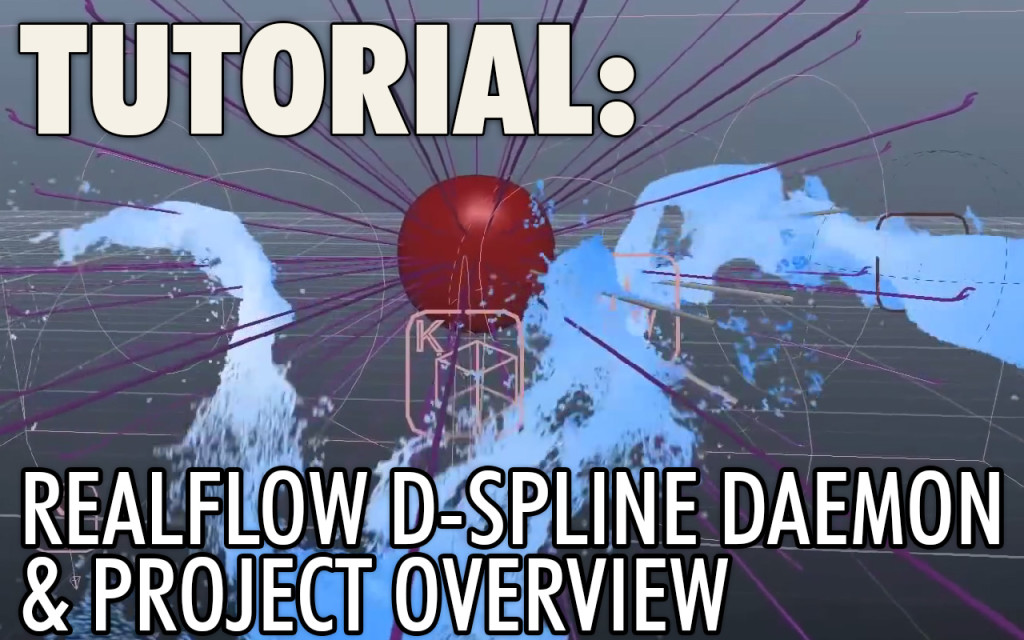
Here’s a recent tutorial I put together focusing on a project i’ve worked on with Alf Kuhlmann at Reel Pictures over the past 5 months. The video is made up of a project overview of ‘The Wonder of Gold’ animation and a RealFlow tutorial. We supplied 3D animation for this video installation that is now showing on a 12metre x 1.8metre wrap-around screen at the Perth Mint in Western Australia.

The second part of the video is a comprehensive tutorial focusing on the ‘D-Spline’ Daemon in RealFlow. We used the Dspline to create the ‘magical’ flowing water in one of the sequences in the Wonder of Gold.

Realflow – Dspline tutorial & Project Overview

If you found this useful, please check out the Reel Pictures website or our facebook page where we will strive to keep posting more videos soon.
Cheers! – Michael Wentworth-Bell.


Button Text


3ds Max Sneak Peek - Populate User Example

3ds Max Sneak Peek: Populate User Example

By Digital LodeNo Comments

Buchanan’s ‘Human Spring’ has now formally been announced. I am very lucky to have been able to work with Buchanan in creating the cover art for their debut album. I had a lot of fun creating this artwork which includes a crowd made up of over 300 protesters. A lot of time spent adding many little details.

You can see a preview of the finished artwork and secondary promotional artwork on Buchanan’s website and on their facebook page.

I have put together a video with a look at how the artwork for Human Spring was made. It’s a brief rundown of my workflow for this project and how new features in the visualisation software Autodesk 3ds max 2014 were used throughout the project.


This video covers how  the new ‘Populate’ feature in tandem with the Biped system to create a large crowd of protesters. also highlights the Nitrous Viewport performance improvements in a scene with over 400 unique animated objects, a look at the new ‘2D Pan and Zoom’ tool and the use of State Sets to render out sections of the ‘Populate’ crowd separately.

Have been impressed from the start with the pure creative force behind this album and the the people who have been involved in it’s production. I’m really looking forward to May 10th when it the music is finally released into the wild!

The band’s first single ‘Human Spring’ has just been released. The video clip is about to be revealed and the song is (at the time of writing) now available free on their website.

Very excited to see the artwork in the physical release, which I hear may include an LP pressing!

Hope to share a couple of behind the scenes images at a later date.


Vray Tutorial – Vray Embree Helper

By Digital Lode Tutorials, Tutorials

Quick Video about the Vray Embree Plugin. This is the first in (what I hope to becomes) a regular series of Tips & Tricks videos focused on Vray.

I’ve recently come across the Vray Embree Helper object; a plugin that is currently separate from the standard Vray installation. The VrayEmbree plugin allows for render speedups between 20-30+ % when rendering with Vray on an intel processor.

This quick video gives an overview of the plugin with a render comparison and covers the installation and how to use the vrayembree helper in your 3ds max scene.

Download the Vray Embree plugin from the Vray tools page:
http://www.spot3d.com/vray/misc/

Release thread on the ChaosGroup forums:
http://www.chaosgroup.com/forums/vbulletin/showthread.php?68970-Embree-raycaster-for-V-Ray&highlight=Embree

Intel’s official page for the Embree Kernels:
http://software.intel.com/en-us/articles/embree-photo-realistic-ray-tracing-kernels/

Official Intel Embree forum:
http://software.intel.com/en-us/forums/embree-photo-realistic-ray-tracing-kernels

i7 Processor Comparison:
http://en.wikipedia.org/wiki/List_of_Intel_Core_i7_microprocessors#Desktop_processors


Button Text


What i’m working on – 2012 – Week 25

By Current Projects, What I'm Working on (WIWO)No Comments

I’d love to use my Digital Lode website as a way of sharing the projects i’m currently working on. Starting with this post, I will be aiming to create a quick, weekly blog about whatever project i’m currently working on.

This has been my first year out of uni and I have been working as a contract 3D generalist & Motion Graphics artist. So far, i’ve worked on jobs that last a couple of days and a few that have lasted weeks. I thought i’d make my first ‘What i’m working on’ (WIWO) post about a job i’ve been working on for around 6 weeks now; A stereoscopic 3D animation for the ‘Mission to Mars’ space experience at the Victorian Space Science Education Centre.

The Mission to Mars program allows secondary school students to spend a day simulating a trip to Mars. At the start of the journey, the crew watches a 12 minute briefing video which was shot, edited & produced by Chris Joiner and The Pod. I have been contracted by Alf @ Reel Pictures to help convert parts of this briefing video into Stereoscopic 3D. This has been a challenging, but really fun job!

The briefing video contains a lot of 3D animated content; showing the Ares space rocket launching from Earth and hooking up with the Mars Explorer spaceship. The Mars Explorer travels to Mars and the Mars Lander makes touches down on the red planet. There is about 6 minutes of content that needs to be re-animated and composited in Stereo3D.

At this stage in the project a lot of the animation is complete and I am now rendering & Compositing many of the scenes. I have included a couple of preview photos of how it’s looking so far – to view these images, you’ll need a pair of red/cyan 3D glasses like these.

[image title=”Ares1 Spacecraft – Orion Crew vessel detaching” width=”544″ height=”185″ lightbox=”true” group=”WIWO-Week25″ icon=”zoom”] http://thelode.com.au/wp-content/uploads/2012/06/S3D01.jpg [/image] [image title=”International Space Station in Earth’s orbit” width=”544″ height=”306″ lightbox=”true” group=”WIWO-Week25″ icon=”zoom”] http://thelode.com.au/wp-content/uploads/2012/06/S3D02.jpg [/image]

These are just the first preview shots, but I am pretty happy with the results! I have learnt more about the art/science of Stereoscopic 3D on this job then ever. The briefing video will be projected onto a 5 metre-wide screen, and will be viewed from a distance of 6.5 metres. With this information, we are creating the Stereo3D content to match that screen, which means, if you view these 3D images on a 5 metre screen and stand far back, it’ll look perfect! on a tiny screen, the 3D effect can ‘hurt’ a bit, or you may see some ‘ghosting’ around the edges of objects. The animation will be projected using a special projection technology from Germany. The VSSEC is one of the few places that are using, it’s not ‘active’ (most 3D TVs) or ‘passive’ (RealD at the movies) glasses, it’s something else, but it apparently looks awesome!

I’ve been using 3DS Max and Vray to create the 3D animation. It took about a week to setup a very solid 3DSmax -> Vray -> After Effects Stereo pipeline but it is now working well. I’m using a few Stereoscopic tools that ship with Vray to create the Stereo images. There are a few features that I think are missing from the Vray stereoscopic toolset and I have made a few feature requests on the Chaos Group forums. Vlado, the creator of Vray has replied and said he aims to add these features, though they might not be finished before my project’s done. Still, that’s what I call insanely awesome customer service! You can try and make a feature request for Max or After Effects, but the chances of getting a response, let alone getting your feature even half the way you want it, are very thin.

So this is the project i’ve been working on this week. I’ll still be working on it over the next few weeks amongst some other jobs that may need quicker attention. I hope I can post some new and improved Renders as I get seriously deep in 3D compositing!

[divider_line_padding] I try to create a quick journal entry at the end of each week that covers the projects, events and highlights of the past 7 days. These weekly blog posts are known as the ‘WIWO’ Series
(What I’m Working On).
[divider_line]